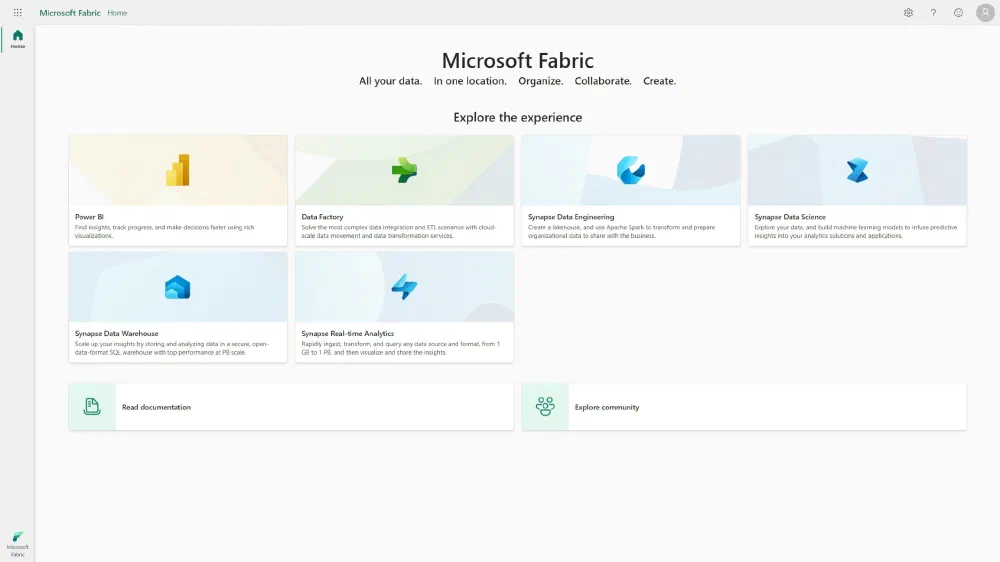
If all those posts about Microsoft Fabric have made you curious, you might want to consider it as your next data platform. Since it is very new, not all features are available yet and most are still in preview. You could already adopt it, but if you want to deploy this to a production scenario, you’ll want to wait a bit longer. In the meantime, you can already start preparing for the migration. Let’s dive into the paths to migrate to Microsoft Fabric. Today: starting from Synapse Serverless SQL Pools.

All posts in this series
Are Azure Synapse Serverless SQL Pools going away?
No! Microsoft is very clear about this. They currently have no plans at all to deprecate Azure Synapse Serverless SQL Pools or even Azure Synapse Analytics Workspaces. You don’t have to migrate to Microsoft Fabric and you can just stay a happy camper in the Serverless SQL Pools. Fabric is built as some kind of operating system on which a lot of applications can run: Synapse Lakehouse, Synapse Warehouse, Synapse Serverless SQL, and more. However, if you want to take advantage of the new features in Microsoft Fabric, this post might be for you.
Microsoft Fabric and Synapse Serverless: a shared engine
Microsoft Fabric’s Lakehouse and Warehouse engines and Synapse Serverless SQL all share the same engine at their core: Polaris. This engine was built from the ground up to serve the needs of today’s data platforms. It is a distributed, columnar, in-memory engine that is optimized for analytical workloads. With Synapse Serverless SQL, Microsoft released the first half of its engine: the compute layer, Polaris. With Microsoft Fabric’s OneLake, Microsoft released the second big half of its modern data platform engine: the storage layer.
| Product | Engine | Storage layer |
|---|---|---|
| Synapse Dedicated SQL Pool | PDW with MPP | proprietary + PolyBase |
| Synapse Serverless SQL Pool | Polaris | ADLS |
| Synapse Lakehouse in Fabric | Polaris | OneLake |
| Synapse Warehouse in Fabric | Polaris | OneLake |
Typical Azure Synapse Serverless SQL Pools usage patterns and their migration paths
There are a few common ways that Synapse Serverless SQL Pools are used. Let’s look at the migration path for each of them.
Using Synapse Serverless as the serving layer
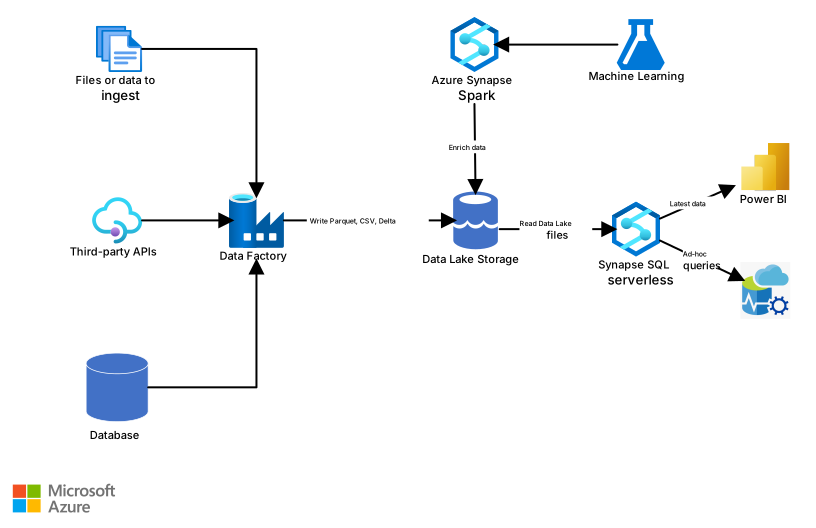 Source: Microsoft
The most common one. Regardless of how you’re transforming the data in your data lake, at one point, the data needs to be served to your end users in the form of SQL. More often than not, through Power BI. Users in this scenario typically store the data in their data lake in Parquet or Delta Lake and then use OPENROWSET-based views or direct SELECT queries to expose this to SQL.
At the moment the OPENROWSET functionality is not (yet) available in Microsoft Fabric. But probably, we won’t even need it. Fabric’s Lakehouse feature can automatically discover Delta Lake tables in your data lake and automatically exposes these through T-SQL. All you have to do is to create Shortcuts to these tables. Don’t worry, I’ve written an entire blog post
about this specific topic. 😉
Not using Delta Lake yet? Fabric uses Delta Lake at its core, so if you’re considering a migration, your data will end up as Delta Lake at one point anyway. There are a few routes you can take to convert your data to Delta Lake. This can be using Spark jobs or notebooks (keep reading for even easier options 😁) to read the Parquet data and then write the same DataFrame to a Delta Lake table.
1spark.read.parquet("Files/path/to/shortcut/with/parquet").write.format("delta").saveAsTable("name_of_table")
Often, you can go about this a lot easier. Fabric supports ingesting your Parquet datasets into the Lakehouse as Delta using a simple right-click. This should show you the Load to table option. Note that this approach is only available for single-file Parquet datasets, not for partitioned Parquet datasets.
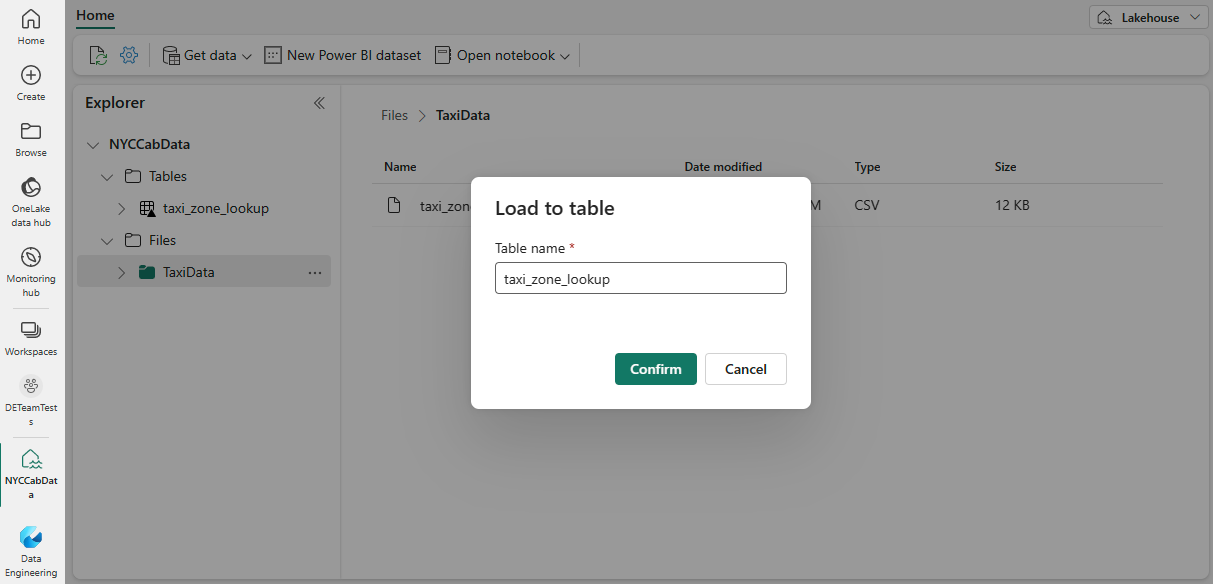 Source: Microsoft
A previous version of this blog post had a paragraph here about using Azure Synapse Serverless to create the Delta Lake tables. That was incorrect and has been removed. Thanks to Andy Cutler for pointing this out 💙!
Using Synapse Serverless as the transformation layer
Data transformations in Synapse Serverless are often done with SQL Views or with the CETAS statements mentioned above.
In the case of SQL views, all you’ll have to do is to get your data in OneLake as Delta Lake datasets. That way you won’t have to rely on OPENROWSET anymore and you can just use the Delta Lake tables directly in your SQL views.
If your code is full of CETAS statements, there is more work to do. Synapse SQL in Fabric does not support the use of external tables. However, Fabric can easily detect your tables as long as they are created in the Delta Lake format. The sections above explain how to achieve this. My recommended approach here would be to switch to the Delta Lake format as soon as possible and consider replacing the CETAS statements with simple SQL Views. This brings you a bit closer to Fabric and makes the migration easier.
Conclusion
In this post, we’ve looked at the migration paths from Synapse Serverless SQL Pools to Microsoft Fabric. In future posts in this series, I will look at migrations from other platforms, but Synapse Serverless SQL is definitely one of the easiest workloads to migrate to Microsoft Fabric. Follow me on social media to stay up to date with the other upcoming posts in this series.